Google Cloud
Mount a Cloud Storage bucket on a Compute Engine VM that Plexora starts for you, or on one you already run, and open its images.
If your images are in a Google Cloud Storage bucket, Plexora can put them next to a computer: it starts a Compute Engine VM in your Google Cloud account (or uses one you already run), mounts the bucket on it, and connects. Everything is created in your account and billed to it.
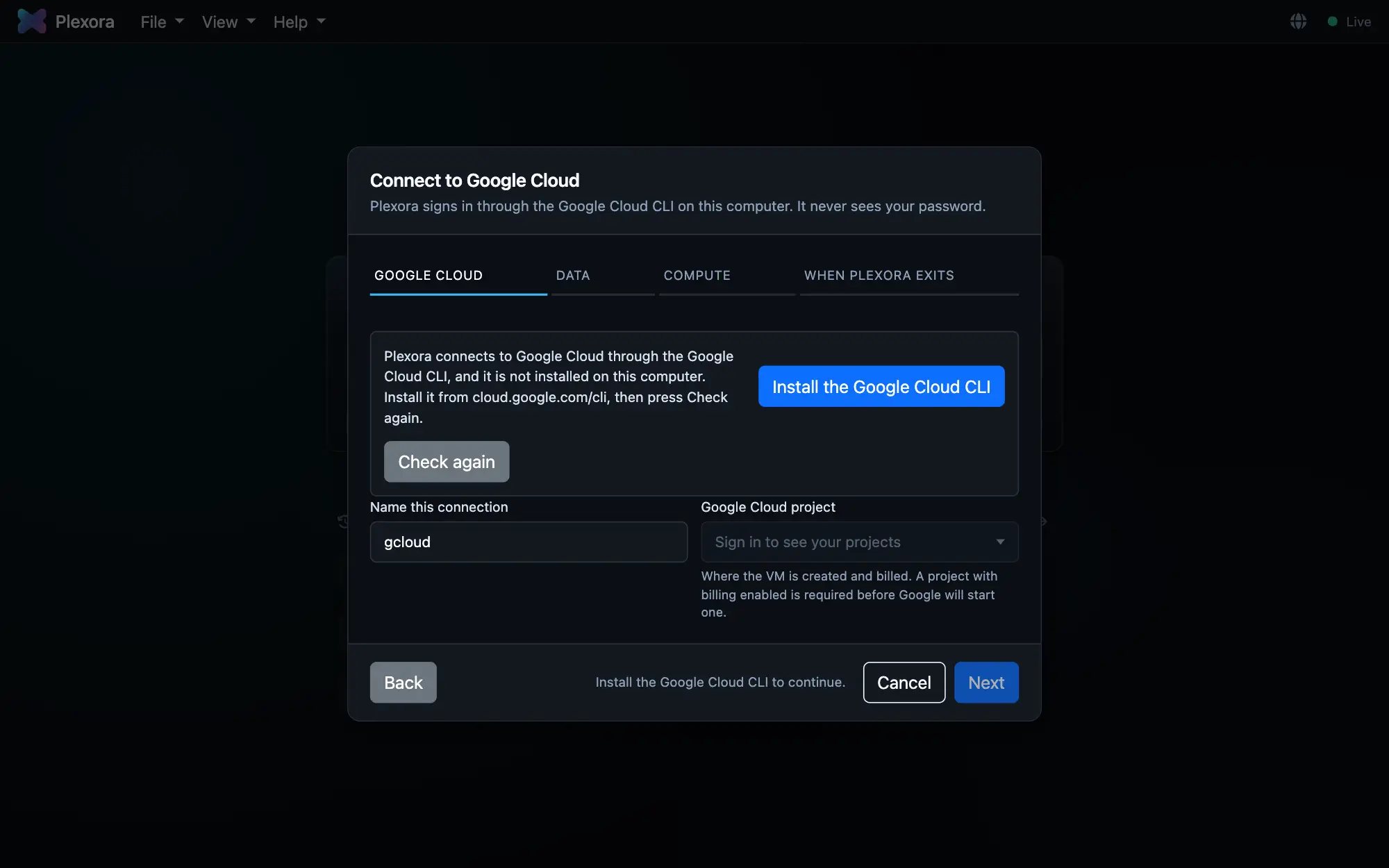
Before you start
You need the Google Cloud CLI on your computer (the form offers to install it), a project with billing enabled and the Compute Engine API turned on, and permission to create VMs and firewall rules plus the "IAP-secured Tunnel User" role.
How to use it
Choose Google Cloud
Open Add a server… (see Add a server) and choose Google Cloud (GCP). Press Sign in with Google.
Choose the project and the bucket
Pick the Google Cloud project the VM is created and billed in, and the Cloud Storage bucket with your images. The bucket becomes Plexora's data directory on the VM. A public bucket can be typed in even if it is not in your project.
Choose the VM
Under The VM, Create a new VM lets Plexora make, start, stop and delete one for you. Use an existing VM connects to a machine you already run and never changes or deletes it. For a new VM, pick a Machine type and a VM location; Use bucket region keeps the computer next to the data.
Decide what happens when you finish
Provisioning: Spot (preemptible) is much cheaper, but Google may reclaim the machine; Standard is full price and is never taken away. When Plexora exits: Leave VM running, Stop VM (the default; only the disk keeps billing) or Delete VM.
Connect
Press Save and connect. The dialog shows Starting the Compute Engine VM, Mounting your Cloud Storage bucket and the rest of the connection. Then open the bucket's images from the Local chip like any other server.
Tips
- Nothing on the internet can reach the VM. Plexora goes in through Google's IAP tunnel and blocks every other inbound connection.
- A VM left with nobody connected switches itself off after Idle shutdown time (minutes) (30 by default, under Advanced).
- The saved server's card in Settings › Remote servers has Start VM, Stop VM and Delete VM…. Deleting a VM never deletes your bucket; Plexora cannot delete storage.