Exporting images and figures
Save the current view as a PNG or PDF, build a publication figure, and take gates, regions and QC results out of Plexora.
What you export depends on what you want out: a picture of the current view, a multi-panel figure, or your results (gates, regions, QC calls) as files another program can read.
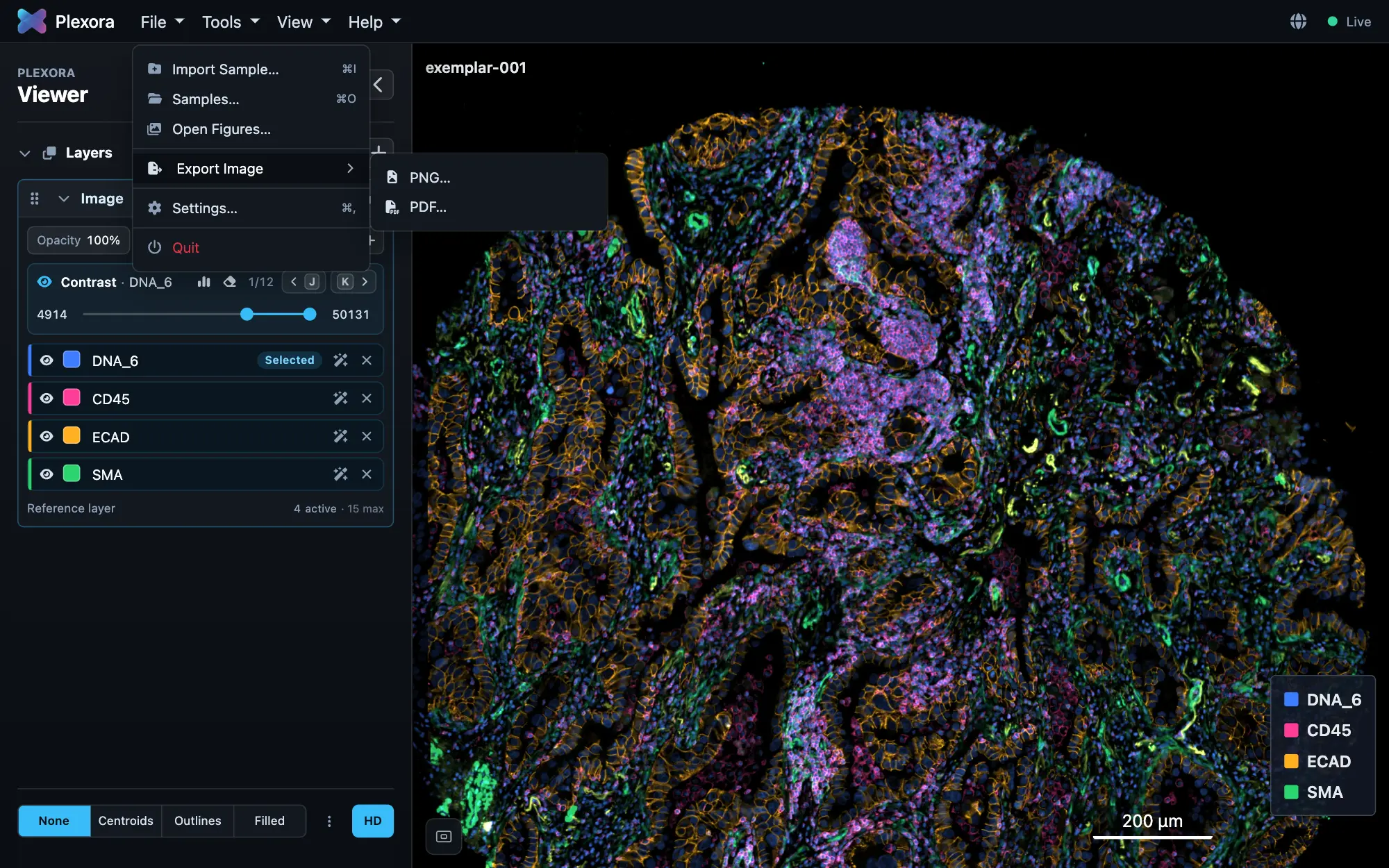
What you can export
Each of these is separate; use the one you need.
Save the current view
Choose File › Export Image › PNG… or PDF…. You get exactly what is on screen: the image, the cells or regions drawn over it, the scale bar if shown, and a colour legend. In a PDF the scale bar, legend and sample name are vector shapes and text you can edit in Illustrator; in a PNG they are part of the pixels.
Build a figure
For several panels on one page (different samples, channel sets, insets), use Figure Builder. Its Export re-renders every panel from the source image at the resolution you choose, not from the screen: PDF (text and legends stay editable), TIFF (flattened, for submission) or PNG, at 150, 300, 600 or 1200 DPI.
Export your results
Each tool exports what it made:
| Tool | Button | You get |
|---|---|---|
| Thresholding | Download Gates | Every gate as a CSV. |
| ROI | Export | Every region as GeoJSON. |
| ROI | Map to cells | Two columns on the cell table naming each cell's region. |
| Quality Control | The download button in the card's header | Download regions (GeoJSON) or Download cells (CSV). |
Write results back into your file
For a sample imported from an AnnData or SpatialData file, Thresholding's Save Gates to Source File and ROI's Save write the results into that file, so the next tool that opens it sees them. QC's Save into … file… adds its columns to the table the sample was opened from, after asking. Nothing is written to your files unless you press one of these.
Tips
- Set the background colour and hide anything you do not want before exporting the view; the export matches the screen.
- For a journal, export the figure, not the view: Figure Builder's export is at a fixed DPI and checks each panel's effective resolution before writing.
- Exports from a notebook work the same way: there is no Python call that reads results back from the viewer.